


Many issues can occur when you upgrade to a new WordPress core version.
Since we released our last blog, we’ve had some enquiries to assist small businesses in fixing one major issue.
Has your website page builder become unresponsive?
You were adding pages to your website… fine.
You’ve upgraded to WordPress 5.6 last week.
 Everything you was.
You come to find out…
You cannot add pages anymore!
The builder has become unresponsive.
This has been a common issue for many small businesses.
Unresponsive page builder.
The most popular WordPress builder is WPBakery.
We use a commercial licenced plugin that allows us to develop websites according to our customer’s needs…
Though we do have some experience with WPBakery.
There are some ways you can make this plugin work for you.
Easy steps.
The three issues we have solved this week were with WPBakery.
And we applied the same techniques to fix these problems.
Step One: Disable Gutenberg Editor in WPBakery
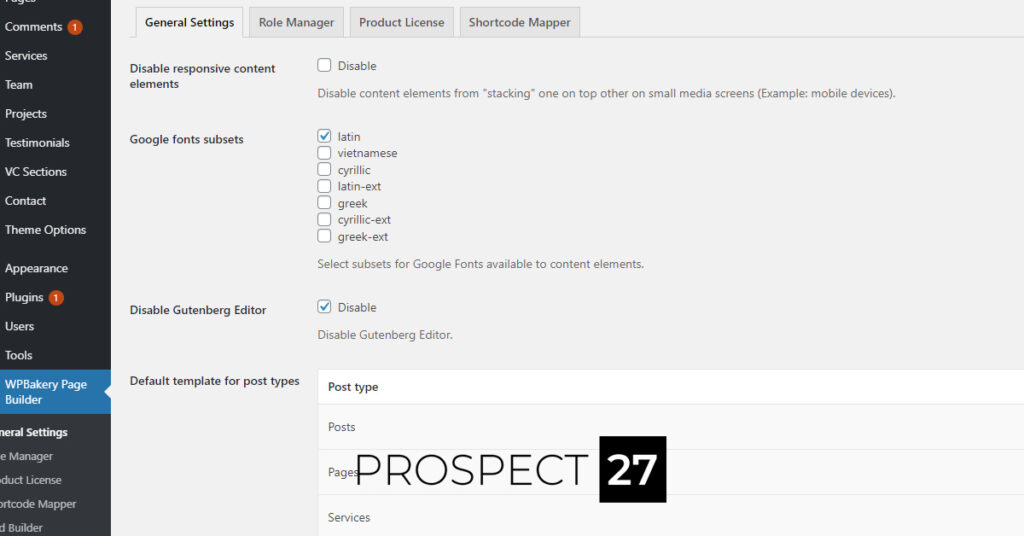 It seems the new Gutenberg editor is over-riding your page builder.
This is become WordPress flagship editor, allowing more simple WordPress websites to utilise a more powerful “builder” for their blogs and small websites.
The issue was that when ‘pages’ or ‘posts’ or custom post types of WordPress (services, portfolio, team) were being added…
The Gutenberg has over-ridden the WPBakery settings.
We want to switch back to the WPBakery system, which may still be more efficient for our needs…
And is the usual editor that is packaged with many premium WordPress themes.
To combat this, we can disable the Gutenberg editor with a simple step.
Go to:
WPBakery Page Builder -> General Settings -> Disable Gutenberg Editor
Step Two: Set Custom Roles
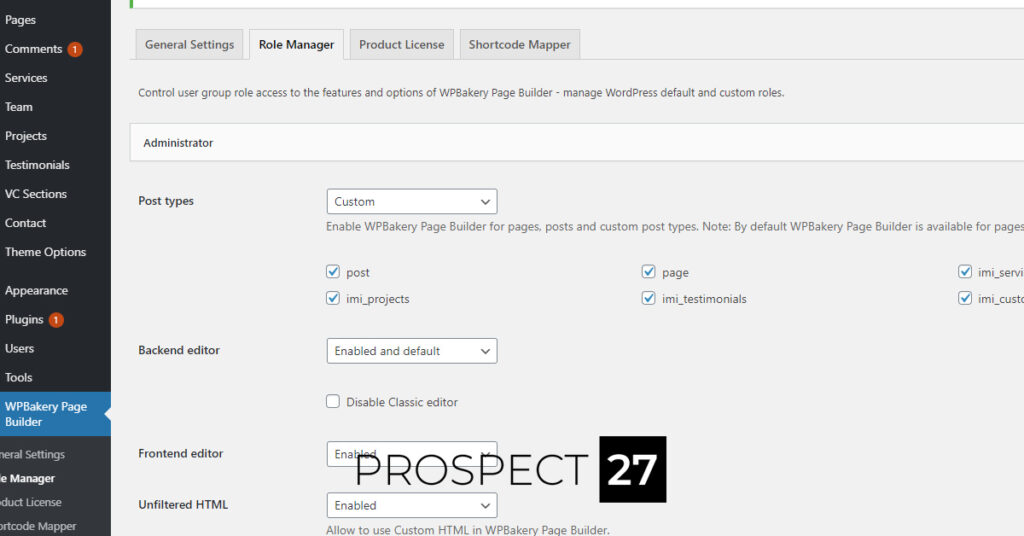
The next step is to give yourself permission across the post-types available.
This will all depend on your needs – and theme.
You don’t need to use the builder on all posts types.
Though we recommend taking full control of your website – and enabling it across the website.
There is always the original ‘backend’ of the website that you can work with, if you wish.
To enable WPBakery across all post types, go to:
‘Role Manager’
Post Types: Custom
Tick all the boxes for the different types of post-types available on your current theme.
Step Three: Adding New Posts
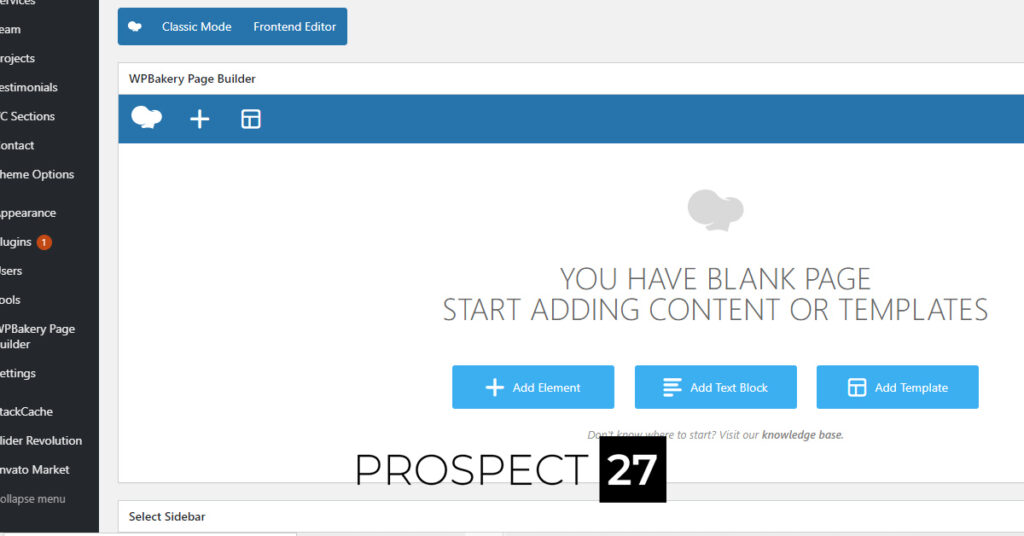 Your posts are now back to normal.
You have over-ridden the current update.
The ‘Gutenberg’ is no longer the main ‘page builder.’
And you can go back to building your responsive website pages.
When adding posts, we always recommend using the ‘Backend Editor.’
There are some easy ways to ensure you are fully utilised the editor:
- Creating yourself a ‘page template’ with matching layout.
- Introducing a ‘page footer’ that you put across all your website
- Ensuring navigation is accessible on your page sidebars
- Utilising your website long-term and continuing to update with new content (and refine the old content to be up to same standard)
These are a series of articles, where we are looking to address issues on WordPress responsively.
WordPress 5.6 was only released December 8th.
This article, published December 10th, is dealing with issues that are happening in the moment.
Please note that this is a very short article that has been released within a small time frame.
I’ve tried my best to condense this article to a simple three steps to solve an issue you may be facing, after upgrading your WordPress website this week.
Most of my working time is dedicated to our customers… though lately our blog is getting more resourceful by the day!


Customer Resources


Pay Monthly Websites
Engage your customers with our managed website service.
“Karl made my website exactly how I wanted it but better, he’s very knowledgeable and delivers every time.
I would highly recommend him to anyone looking for a new website. Fantastic service.”
Ashton Rees
Ashton’ Specialized Coatings